
Send Me WhatsApp Message: Why Passive Reception Means Safety
Why New WhatsApp Accounts Get Flagged
If you have ever registered a fresh WhatsApp number and immediately started sending messages to prospects, you probably know what happens next: the account is limited, restricted, or banned within hours. Meta's anti-spam systems treat aggressive outbound behavior as suspicious, especially when the number has no prior conversation history or trust signals.
The safest way to build that trust is not to send first, but to ask others to send to you. In other words, "send me WhatsApp message" should be your warm-up motto, not the other way around.
What Is Passive Reception?
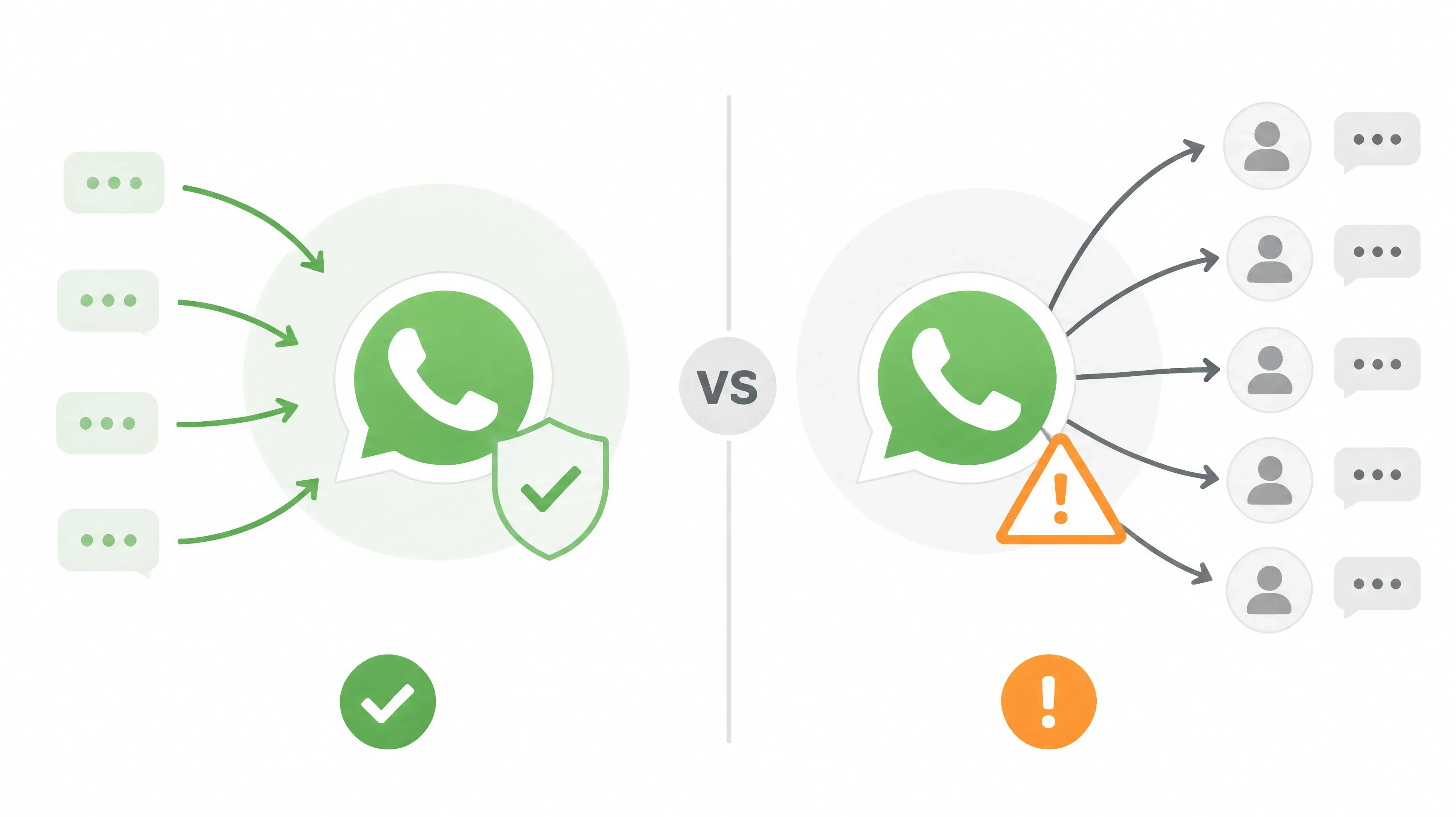
Passive reception means letting trusted, established accounts start conversations with your new number instead of you sending first. During the first days, the new account simply receives messages, calls, and reactions from real contacts.
This matters because WhatsApp's risk model values inbound interaction far more than outbound broadcasting. When a new number receives messages from real users, it looks like a genuine person joining the network. When it blasts messages to strangers, it looks like spam.
Key differences between the two approaches:
| Passive reception | Cold outreach |
|---|---|
| Others send first | You send first |
| Builds trust with Meta | Triggers spam signals |
| Low risk of limits or bans | High risk of restrictions |
| Recommended for new numbers | Only for mature accounts |
The Standard Passive Timeline
A simple week-by-week rhythm works for most new accounts:
Day 0 — Setup Register the number, complete the profile, enable two-step verification, and prepare a stable environment with a consistent IP and device fingerprint.
Day 1–3 — Pure Passive The new account receives messages only. It does not reply, does not initiate, and does not join groups. Let trusted contacts send text, images, voice notes, and even short calls.
Day 4–6 — Semi-Passive You can start replying briefly to existing threads to create two-way conversation. Still avoid sending to strangers, group invites, or mass forwarding.
Day 7+ — Light Active Once the account has built a base of real contacts, you can start light outreach to existing contacts. Mass marketing or cold lists should wait until the account is fully mature.
Common Mistakes to Avoid
- Replying or sending during the pure passive phase
- Using copy-paste templates that look mechanical
- Switching devices, IPs, or browsers frequently
- Installing modded clients such as GBWhatsApp
- Adding the number to too many groups at once
Each of these can undo the trust you built through passive reception.
How WAWarmer Helps Automate Passive Reception
For teams managing dozens of new accounts, doing this entirely by hand is unrealistic. This is why more teams are turning to tools like WAWarmer.
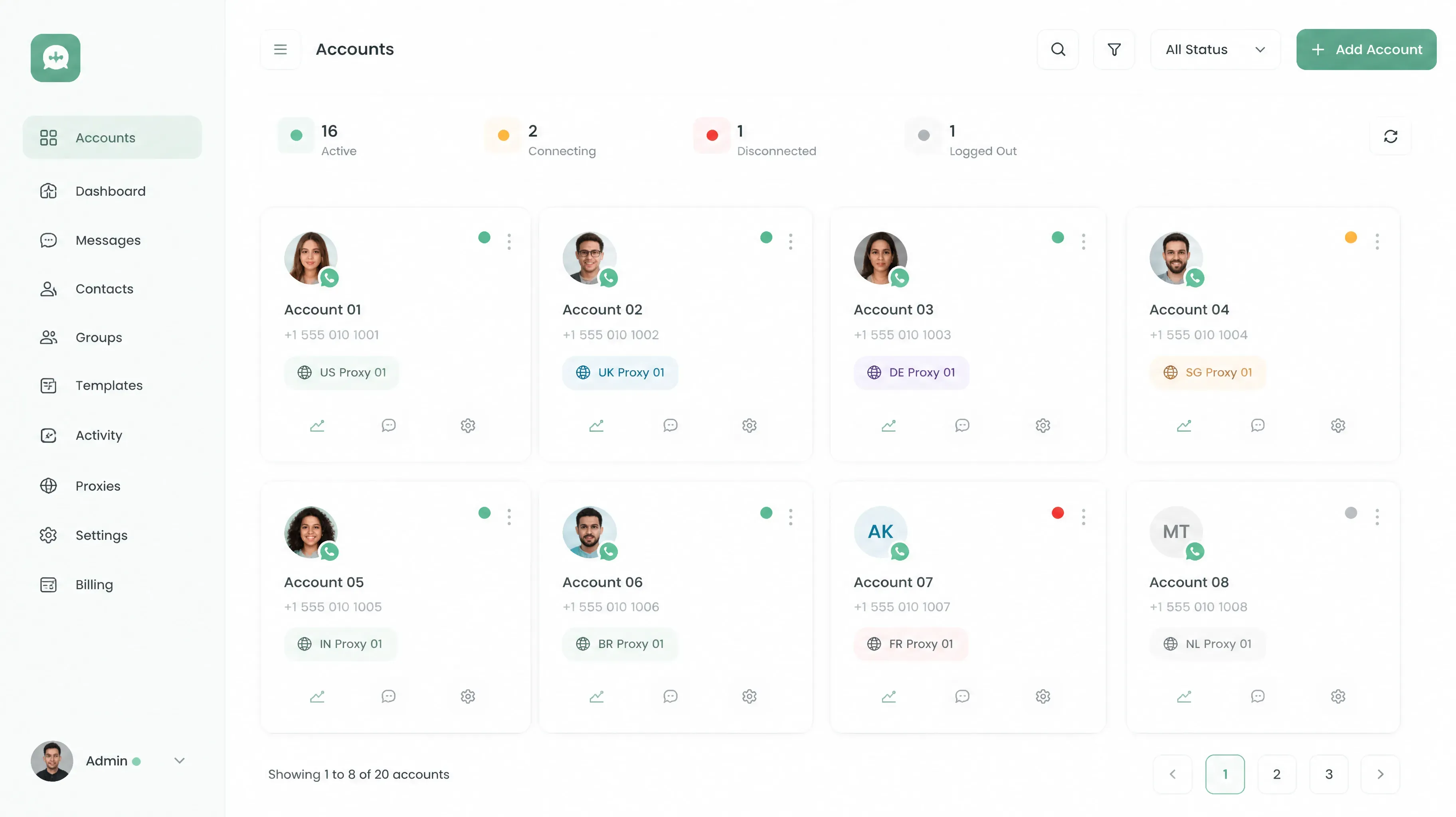
WAWarmer integrates account environment management with warm-up automation. It helps you configure isolated fingerprint profiles, assign dedicated proxies, and run the inbound "old account to new account" flow without manual repetition.
Key features that support passive reception:
- Unique Device Fingerprint — each account runs in its own browser identity
- Dedicated Window Proxy — one IP per account, no accidental overlap
- Automated Warm-up Engine — trusted contacts reach out to new numbers on a schedule
- Unified Multi-Account Management — track progress across your whole account pool
By keeping new accounts in receive-only mode while real contacts build their history, WAWarmer makes passive reception repeatable at scale.
Conclusion
Cold outreach is the fastest way to get a new WhatsApp number flagged. Passive reception is the safest way to build real trust.
Start with setup, stay in receive-only mode for the first few days, and only increase activity once the account has a conversation history. If you are scaling this across many numbers, automation keeps the process consistent.
Ready to warm up your accounts safely? Try WAWarmer.
WhatsApp Tightens Stranger Messages: How Marketing Teams Can Adapt
WhatsApp rolled out message request folders, stranger-message monthly limits, and strict account settings in 2026. Learn what changed and how sales and marketing teams should adjust their outreach strategy.
Best WhatsApp Warmup Tool 2026: Top Passive Warming Picks
Looking for the best WhatsApp warmup tool in 2026? We compare top passive warming solutions by cost, efficiency, safety, and scalability for your team.