
WhatsApp Mass Marketing 2026: Build a Bulletproof Risk System

In 2026, WhatsApp mass marketing remains a powerful channel for businesses, but Meta's risk control system has become highly sophisticated. One misstep can result in widespread account bans, lost leads, and wasted investment. If you're running bulk messaging, automation, or scaled outreach campaigns, understanding and mitigating technical risks is essential.
This guide explains the importance of pre-send screening, the underlying detection mechanisms Meta uses (fingerprinting, IP association, behavior tracking), and how to build a complete safe architecture with fingerprint browsers, clean IPs, warm-up tools, and screening tools.
The Critical Role of Pre-Send Screening: Why You Must Use a Checker Before Any Bulk Campaign
Before launching any large-scale messaging campaign, running your contact list through a checker tool is non-negotiable.

- Drastically Reduces Report Rates
WhatsApp's algorithm heavily penalizes accounts based on user reports. Sending to invalid, inactive, or unregistered numbers increases the likelihood of blocks or spam flags. A checker verifies whether numbers are registered on WhatsApp, active (e.g., last seen, profile photo), and filters out 20–40% of high-risk contacts. - Prevents Spam Triggers
Mass sends to unsaved or unresponsive numbers mimic bot behavior, triggering immediate detection. Screening ensures 80–90% delivery to engaged users, significantly lowering bounce rates and report probability. - Ensures Compliance and Efficiency
Only targeting valid, active users aligns with WhatsApp's terms while saving costs on failed sends. Industry data shows unscreened lists lead to 3x higher ban rates in the first campaign wave.
Practical recommendation: Upload your list → Run the checker → Export only "valid and active" contacts → Proceed with messaging.
Inside Meta's Risk Control Logic: How Fingerprinting, IP Association, and Behavior Tracking Identify Marketing Accounts
Meta's WhatsApp risk control is a multi-layered AI system that combines device-level, network-level, and behavioral signals to detect spam and automation.
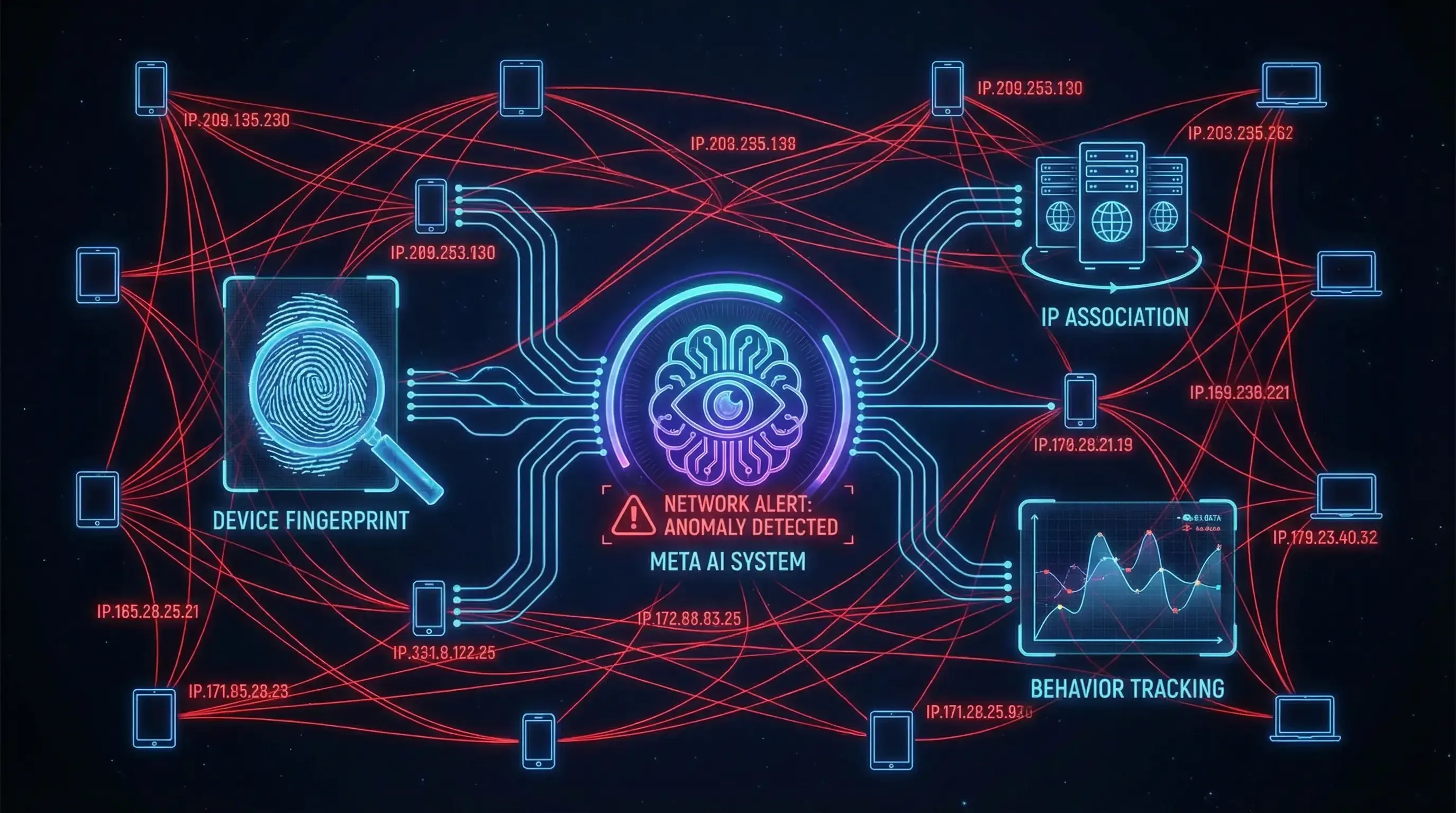
- Device Fingerprinting
Meta collects hundreds of parameters: hardware IDs, screen resolution, fonts, plugins, Canvas rendering, and more. If multiple accounts share near-identical fingerprints (same device/browser), the system immediately associates them as automated operations. Marketing accounts often get banned in batches due to fingerprint similarity. - IP Association and Network Monitoring
Shared IPs, data center IPs, or frequent IP switches are major red flags. Meta links IPs to locations, historical bans, and traffic patterns. High-volume messaging from a single IP or sudden IP changes strongly indicate bulk activity. - Behavior Tracking and AI Analysis
The system evaluates "human-like" traits: typing speed, message intervals, emoji usage, reply rates, session duration, and content variety. Marketing accounts commonly fail with repetitive messages, no variation, 24/7 activity, or lack of natural interaction.
According to industry reports and GSC trends, over 60% of bans stem from these technical signals. The key lesson: To evade detection, every layer must mimic real human users.
Secure Architecture: Fingerprint Browser + Clean IP + Warm-Up Tool + Screening Tool (Closed-Loop System)
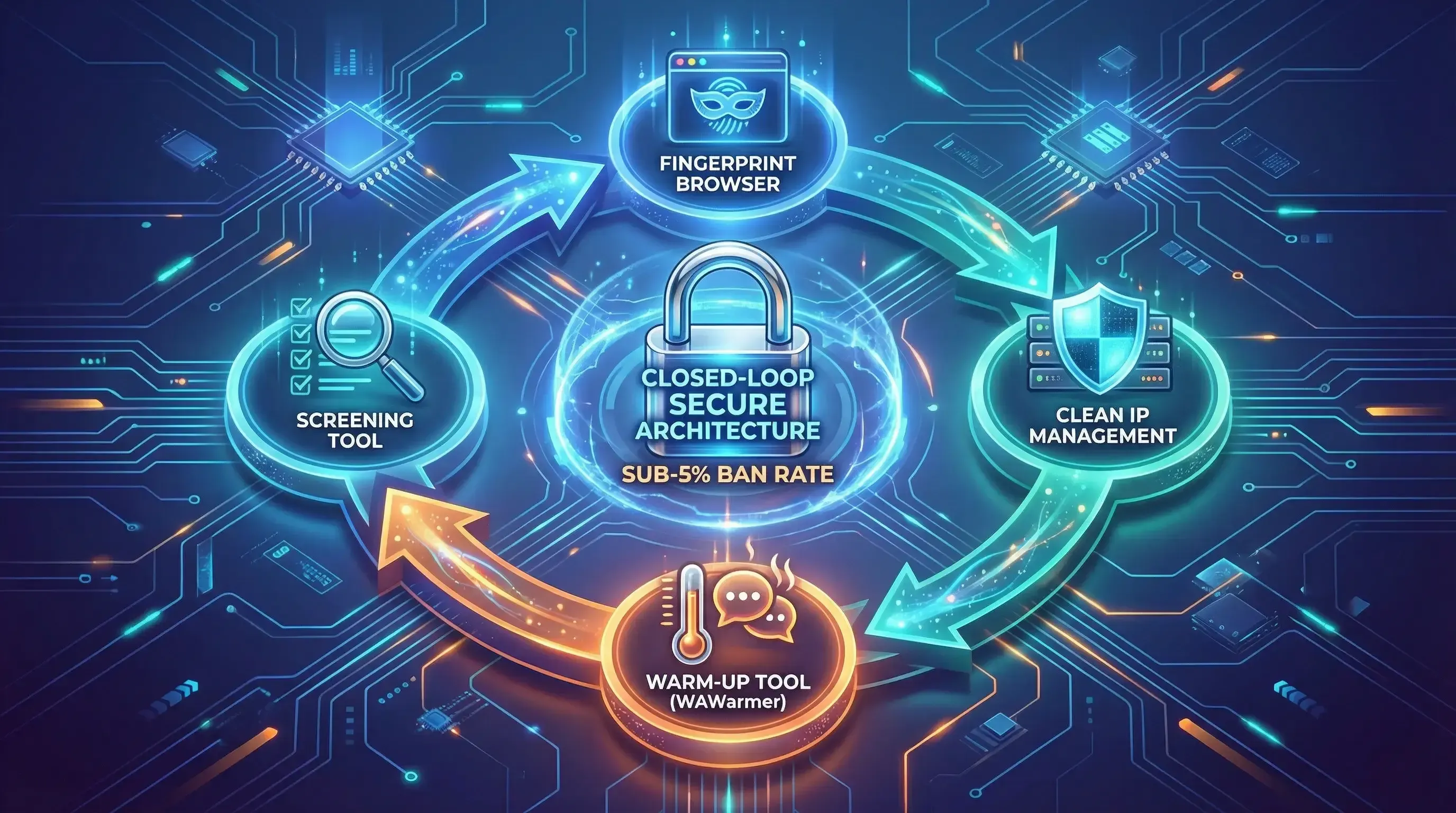
To run mass marketing safely and at scale, implement this four-layer closed-loop system:
- Fingerprint Browser
Use anti-detect browsers (e.g., MultiLogin, Incogniton, AdsPower) to generate unique fingerprints for each account. Simulate different devices, OS, and browser profiles to prevent association. Recommendation: Rotate fingerprints weekly and match them to realistic scenarios (e.g., Android for mobile campaigns). - Clean IP Management
Use residential proxies or dedicated IPs from trusted providers (avoid free/shared IPs). Rotate IPs naturally (every 24–48 hours) and ensure geolocation consistency. This breaks IP association chains—critical for multi-account operations. - Warm-Up Tool (WAWarmer)
After setup, nurture accounts with automated, human-like interactions. WAWarmer simulates natural conversations (varied topics, emojis, random delays), builds mutual contacts, and gradually introduces limited stranger interactions (100% reply rate). Warm up for 20 days to significantly increase account weight and tolerance for higher volumes. - Screening Tool Integration
Before every campaign, filter contacts with a checker to ensure only valid, active users receive messages. Combine with CRM data for segmentation (e.g., prioritize high-engagement lists).
Closed-Loop Workflow:
- Register/login accounts using fingerprint browser + clean IP.
- Warm up with WAWarmer for 20 days to build weight.
- Screen target lists with checker.
- Execute low-frequency, gradual messaging + real-time monitoring.
This architecture can reduce ban rates to under 5% in real-world operations, far below industry averages.
Scale Safely: Next Steps for Your WhatsApp Marketing
Mass marketing on WhatsApp doesn't have to be risky. By prioritizing screening, understanding Meta's detection mechanisms, and building a secure closed-loop system, you can scale confidently.
Try WAWarmer free today to start your safe warm-up process.
For a detailed warm-up strategy, check our guide: WhatsApp Warm-Up in 2026: How to Build Durable Accounts That Don’t Get Banned
Stay secure, stay scalable.
WhatsApp Tightens Stranger Messages: How Marketing Teams Can Adapt
WhatsApp rolled out message request folders, stranger-message monthly limits, and strict account settings in 2026. Learn what changed and how sales and marketing teams should adjust their outreach strategy.
WhatsApp Blue Tick Verification: How to Get Verified in 2026
etting WhatsApp blue tick verification can improve account trust, messaging limits, and stability. This guide explains Meta Verified, requirements, and how to get WhatsApp verified faster in 2026.