
SwitchyOmega Proxy: 2026 Quick Setup Guide

In 2026, reliable proxy management remains essential for bypassing restrictions, protecting privacy, and safely running multiple WhatsApp accounts. SwitchyOmega proxy (now commonly used via its Manifest V3-compatible fork ZeroOmega or Proxy SwitchyOmega 3) is still the top free Chrome and Firefox extension for seamless proxy switching.
This updated guide walks you through installation, configuration, and optimization of SwitchyOmega proxy so you can get started in under 5 minutes.
What Is SwitchyOmega Proxy
SwitchyOmega proxy is a powerful proxy management extension that lets you create multiple profiles and switch instantly.
It supports:
- HTTP
- HTTPS
- SOCKS4
- SOCKS5
Four main modes:
- Proxy Server Mode
- Auto Switch Mode
- PAC Mode
- Virtual Mode
The core strength of SwitchyOmega proxy lies in Auto Switch mode, which allows rule-based routing.
How to Install SwitchyOmega Proxy
Chrome / Edge / Chromium
Search:
- Proxy SwitchyOmega 3
- ZeroOmega
Install from Chrome Web Store.
Firefox
Use the original SwitchyOmega from Firefox Add-ons.
After installation, the Ω icon appears in the toolbar.
4-Step Quick Setup of SwitchyOmega Proxy
Step 1 — Create Profile
Ω → New Profile → Name:
- WhatsApp Proxy
- Auto Switch
Step 2 — Add Proxy
Protocol: SOCKS5
Host: 127.0.0.1 or proxy IP
Port: 1080 / 8080
Save.
Step 3 — Activate
Click Ω → select profile
Step 4 — Verify
Check IP at:
whatismyipaddress.com
Recommended Setup — Auto Switch Mode
- Select Auto Switch
- Add rule list URL
- Click Update
- Save
Browser will auto route traffic.
Why SwitchyOmega Proxy Is Not Enough for WhatsApp Multi-Account
SwitchyOmega is excellent for routing traffic, but modern platforms like WhatsApp no longer rely on IP detection only.
They also check:
- WebRTC
- Canvas
- Fonts
- Hardware ID
- Screen resolution
- Timezone
- Language
- Browser fingerprint
Even if different proxy IPs are used, multiple accounts may still appear to come from the same device.
In real multi-account environments this can lead to:
- Account linking
- Risk control triggers
- Login verification loops
- Temporary bans
- Permanent bans
Because of this, many users move from simple proxy tools to fingerprint proxy environments such as
WAWarmer, which are designed for safe multi-account operation.
SwitchyOmega manages routing,
but it does not isolate fingerprints.
Why Fingerprint Proxy Is Safer Than SwitchyOmega
A fingerprint proxy environment combines:
- Proxy IP isolation
- Browser fingerprint isolation
- Storage isolation
- WebRTC protection
- Hardware spoofing
Each account runs inside an independent browser environment.
Result:
1 account = 1 device = 1 IP = 1 fingerprint
This setup is widely used in:
- WhatsApp multi-account
- Facebook BM
- TikTok accounts
- Affiliate marketing
- Cross-border e-commerce
- SEO account farms
Compared with SwitchyOmega:
| Feature | SwitchyOmega | Fingerprint Proxy |
|---|---|---|
| Proxy switching | ✔ | ✔ |
| Fingerprint isolation | ✘ | ✔ |
| Cookie isolation | ✘ | ✔ |
| WebRTC protection | ✘ | ✔ |
| Multi-account safe | ✘ | ✔ |
| Anti-ban environment | ✘ | ✔ |
Why WAWarmer Fingerprint Proxy Is Better
Unlike normal proxy extensions,
WAWarmer provides a built-in fingerprint proxy environment designed specifically for WhatsApp multi-account stability.
Key features:
- Dedicated proxy per window
- Unique fingerprint per account
- WebRTC blocking
- Canvas protection
- Font spoofing
- Hardware spoofing
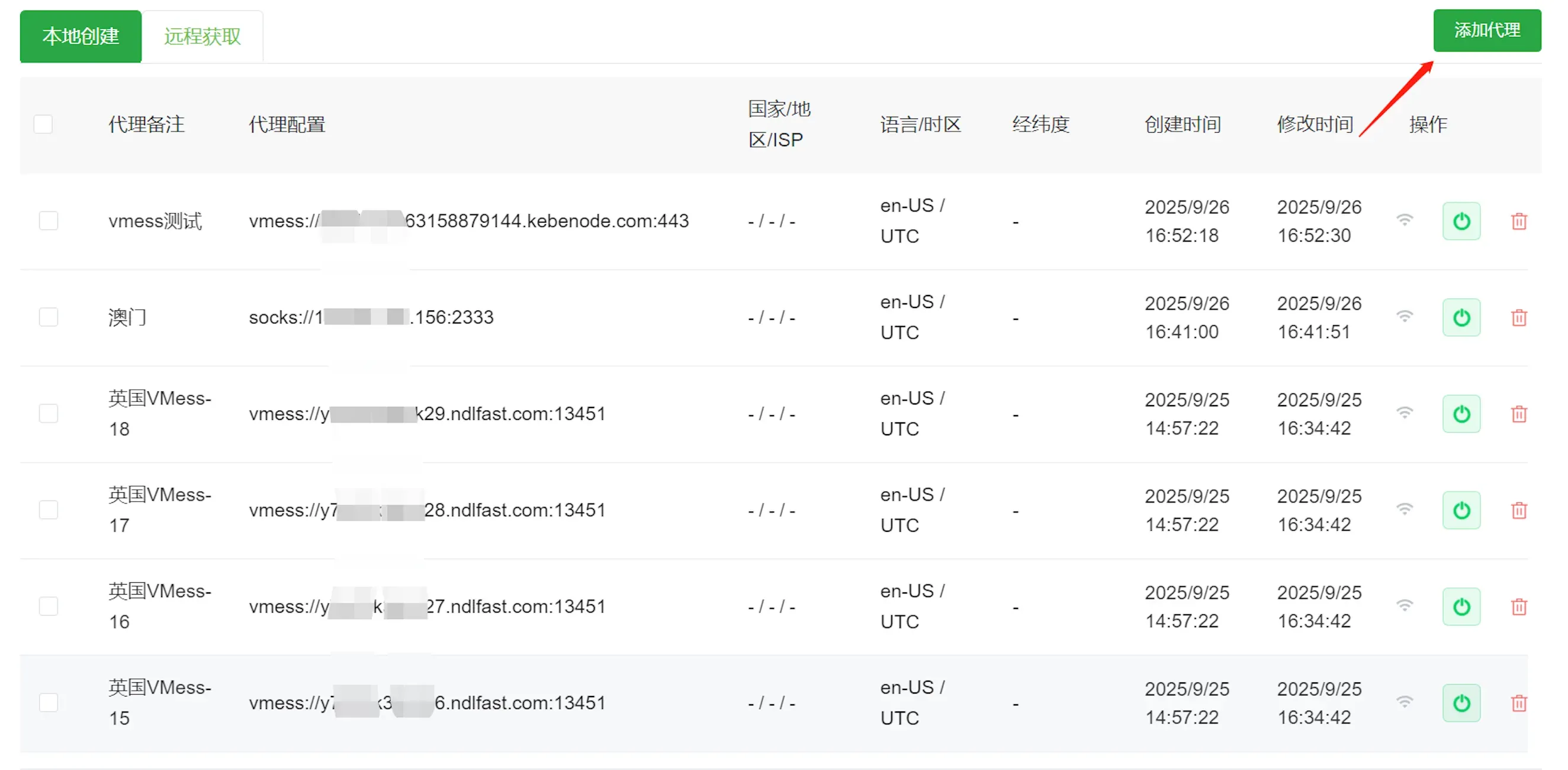
- Batch proxy import
- Batch launch
- WhatsApp warm-up automation
- Anti-ban configuration
This means every account runs in a fully isolated environment without needing SwitchyOmega.
Instead of:
SwitchyOmega + proxy + manual setup
You get:
Fingerprint proxy + proxy + isolation + warm-up
All in one.
How to Import Proxy into WAWarmer
- Get proxy IP
- WAWarmer → Settings → Proxy
- Add or Excel import
- Batch Detect
- Batch Launch
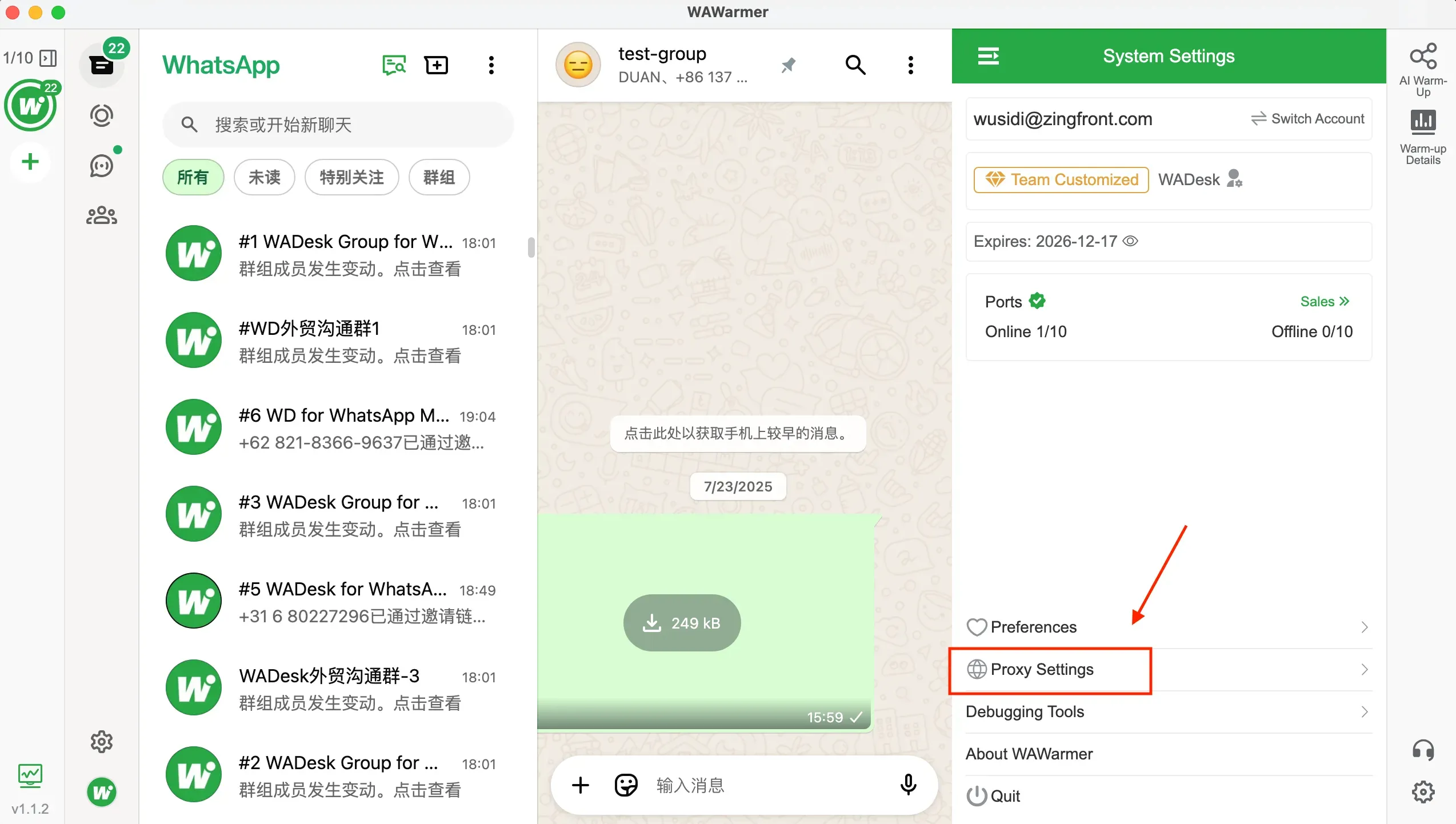
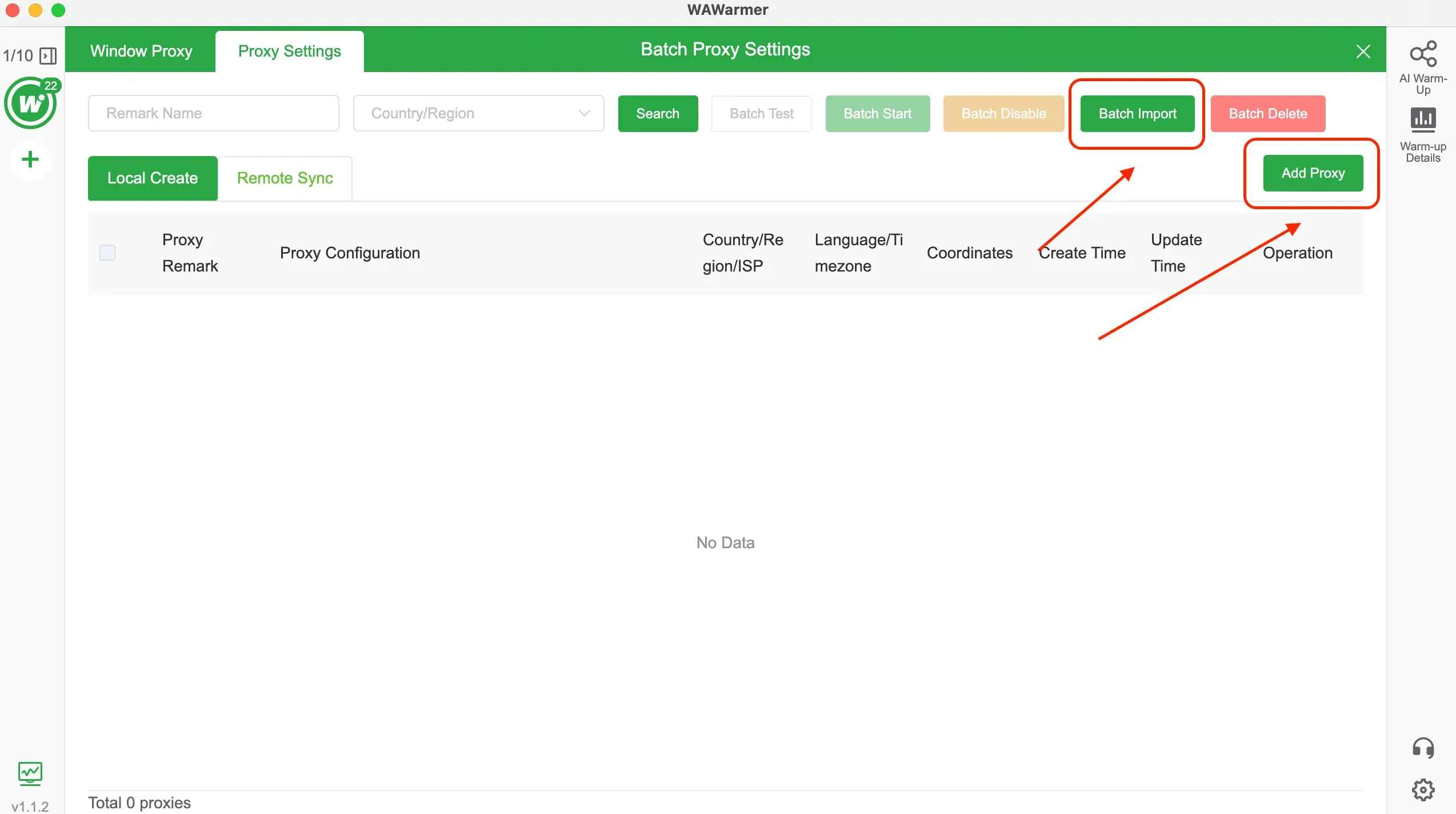
Each window runs with different IP and fingerprint.
No SwitchyOmega required.
Final Thoughts
SwitchyOmega proxy is still one of the best free proxy tools for traffic routing.
However, for WhatsApp multi-account operations in 2026, proxy alone is no longer enough.
Stable environments require fingerprint isolation, independent storage, and reliable IP resources working together.
In practice, most professional setups use a fingerprint proxy environment together with high-quality dedicated proxies to maintain long-term stability.
The Foundation of Stable Operations — Choosing the Right Proxy Provider
After fingerprint isolation is configured, the next factor that affects stability is proxy quality.
Low-quality IPs, frequent disconnects, or reused addresses can still trigger platform risk control even if the fingerprint environment is correct.
In our daily testing, using stable residential or dedicated proxies together with fingerprint tools like WAWarmer significantly reduces account warnings and login verification issues.
One proxy provider we have been using in real multi-account environments is
Proxy-Man
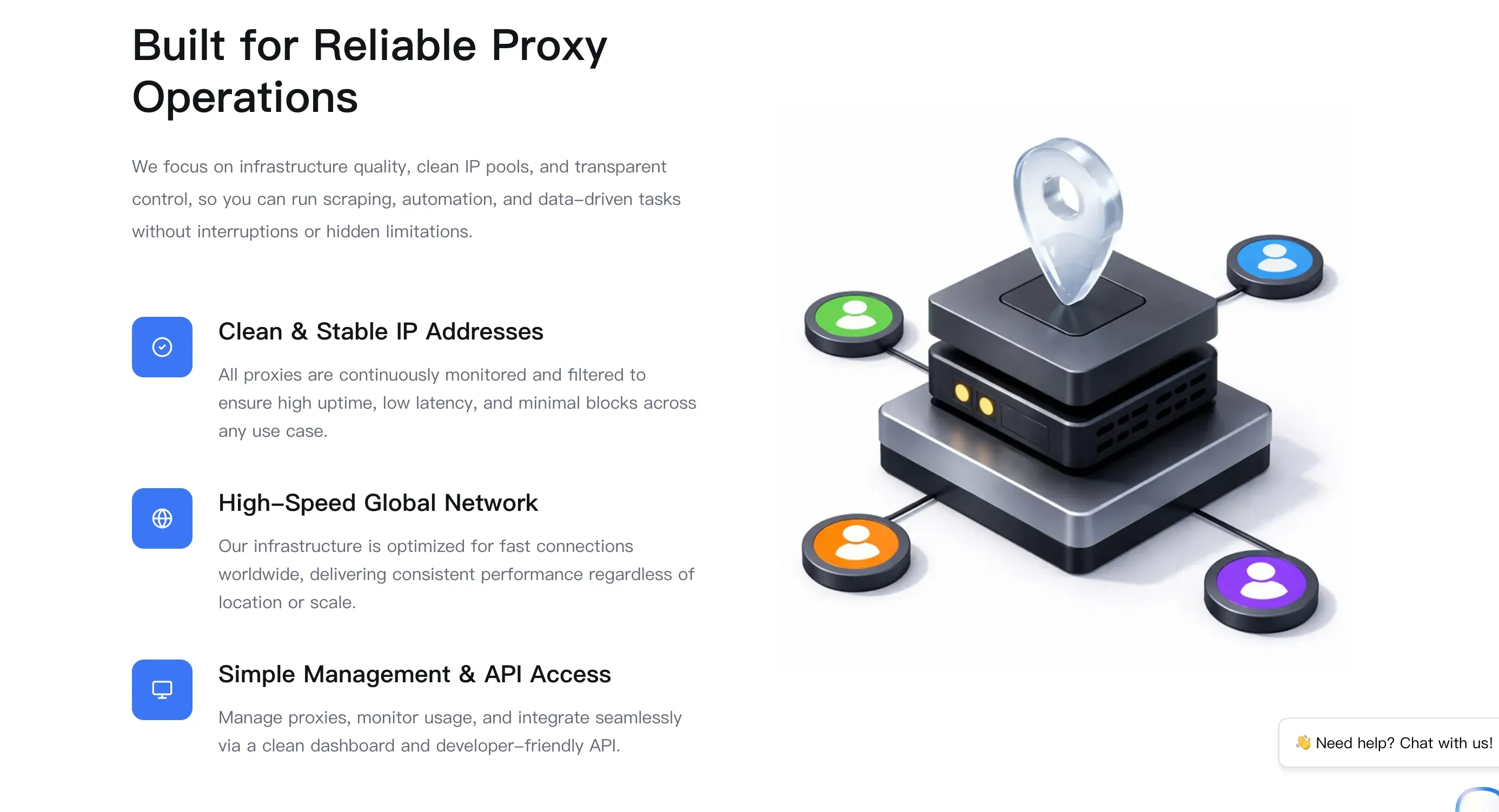
It works well for scenarios such as:
- Assigning dedicated IPs when using WAWarmer
- Social media account management
- Data scraping
- Game login environments
- Daily browsing with different regions
WhatsApp Blue Tick Verification: How to Get Verified in 2026
etting WhatsApp blue tick verification can improve account trust, messaging limits, and stability. This guide explains Meta Verified, requirements, and how to get WhatsApp verified faster in 2026.
WhatsApp Not Receiving Code? Try Again in 1 Hour Fix (2026 Guide)
Fix WhatsApp not receiving code, try again in 1 hour, SMS verification failed, or cannot verify after unban. Full 2026 guide for stable WhatsApp accounts.