
New WhatsApp Number Setup: What to Do First in 2026
New WhatsApp Number Setup: What to Do First in 2026
A new WhatsApp number is more than a fresh registration. The first days shape how the account is perceived by WhatsApp's systems — and how customers experience your business once real conversations start.
Most accounts are set up in a hurry: verify the phone, pick a name, drop in a profile picture, and start messaging. That works for personal chats. For business communication — where reply rates, delivery, and account stability all feed into revenue — the opening sequence deserves more attention than it usually gets.
This guide walks through what a thoughtful new WhatsApp number setup looks like in 2026, and what teams managing more than one number should plan for from day one.
What "New" Actually Means to WhatsApp
A new WhatsApp number is a phone number that has just been registered. From WhatsApp's perspective, the account has:
- No conversation history
- Few or no contacts
- No established communication patterns
- No usage reputation — positive or negative
That last point matters most. WhatsApp's risk systems do not know yet whether this is a real person messaging a small group of friends or a fresh account that will start blasting hundreds of strangers next week. The first weeks of activity determine which bucket the account lands in.
For businesses, this means the setup phase is not just about looking professional. It is about creating the kind of activity pattern that the platform recognizes as legitimate communication, not automated outreach.
Step 1: Complete the Profile Before Any Outreach
Profile signals are the first thing customers see, and they are also part of what makes an account look finished. A half-empty profile is one of the easiest tells for a brand-new or low-effort account.
Minimum to cover:
- Profile photo — a real logo or a clean headshot, not the default avatar.
- Display name — match the brand or business name exactly. Customers searching for you later will look for this.
- About section — one or two lines describing what the account does (sales, support, bookings, etc.).
- Business details — if using WhatsApp Business, fill in category, description, hours, email, and website. None of this is decoration; it directly affects how the contact card appears in a customer's chat list.
If the account will be one of several, decide now which name and which photo belong to this number. Teams often skip this and end up with five accounts that all look slightly different — a small thing that hurts recognition later.
Step 2: Build Real Activity in the First Week
This is the part most setup guides gloss over. A new account that immediately starts sending outbound messages has no history to soften that first wave of activity. The platform has no reason yet to treat it as a normal user.
The first 7 days should look like ordinary person-to-person use:
- Chat with contacts you already know — friends, family, existing customers.
- Reply to messages that come in. Replies count for more than outbound volume in the early days.
- Join or stay in existing groups you would normally be part of.
- Share a few updates, photos, or voice notes the way a real user would.
None of this is a trick. WhatsApp's risk model is built around the assumption that real users chat with real contacts before doing anything else. Mimicking that pattern is the simplest way to make a new number fit in.
A useful mental model: imagine you are a new employee whose manager watches your first week of calls. You would not start the week by cold-calling a thousand strangers. You would shadow, answer some calls, and build rhythm. Treat the new number the same way.
Step 3: Avoid the Common First-Week Mistakes
The mistakes that hurt new accounts the most are not exotic. They are the obvious ones, done too early.
Things to delay until the account has at least a week of normal activity:
- Sending large numbers of similar messages.
- Adding many unknown contacts at once.
- Creating multiple new groups quickly.
- Joining unfamiliar groups aggressively.
- Running any kind of campaign or broadcast.
Each of these is fine on a mature account. On a new account, they all look like the kind of behavior the platform watches for.
A practical test: if the activity you are about to do would look unusual if a real person did it on their personal WhatsApp, it is probably too much for day one.
Step 4: Define Who You Will Message — Before You Message Them
Before the first business conversation goes out, the team should be aligned on a few basics:
- Audience. Who exactly receives messages from this number? Existing customers, leads, prospects in a specific region, support requests?
- Conversation types. Sales follow-ups, order updates, support replies, broadcast announcements? Each has a different cadence.
- Reply handling. Who answers incoming messages, and within what timeframe? An unanswered business number is worse than no number at all.
- Cadence. How often does this account send messages per day, per week? Pick a number that does not require pushing the limits.
These answers do not need to be permanent. But having them written down keeps the account from drifting into mixed-purpose use, which is one of the fastest paths to early restrictions.
Step 5: Bring Tools In Once the Account Is Steady
A single new number can usually be managed by hand. The moment a team is running more than a handful, the work shifts.
For businesses running multiple WhatsApp numbers — for sales teams, regional markets, customer support, or multiple brands — the operational load adds up fast:
- Each account needs its own login and active session.
- Contacts, conversations, and notes need to be separated cleanly.
- Reply handling, follow-ups, and reminders become hard to track across windows.
- Team members need to know which account to use for which conversation.
That is where a tool like WAWarmer fits. WAWarmer is built around managing a fleet of legitimate WhatsApp business accounts from a single desktop console — account grouping, per-account profiles, customer organization, and AI-assisted conversations for routine replies. It does not generate phone numbers, send spam, or promise to bypass platform rules. It gives a multi-account operator a clean workspace to do the work properly.
If you only have one number and a handful of contacts, you do not need any of this yet. If you are heading toward 5, 20, or 50 numbers, planning the workspace early is much easier than rebuilding it later.
A Simple 7-Day Setup Checklist
For teams that want a concrete plan:
Day 1 — Account basics
- Verify the number, set a clean profile photo and display name.
- Configure WhatsApp Business details if applicable.
- Decide which team member owns this account.
Day 2–3 — Personal-style activity
- Chat with known contacts.
- Reply to any incoming messages.
- Stay in existing groups; do not create new ones yet.
Day 4–5 — Light business activity
- Begin replying to customers who message the account.
- Send a small number of follow-ups to existing contacts.
- Keep outbound volume modest and varied.
Day 6–7 — Evaluate
- Check delivery and reply rates.
- Confirm no warning banners or temporary restrictions appeared.
- If stable, gradually introduce normal business workflows.
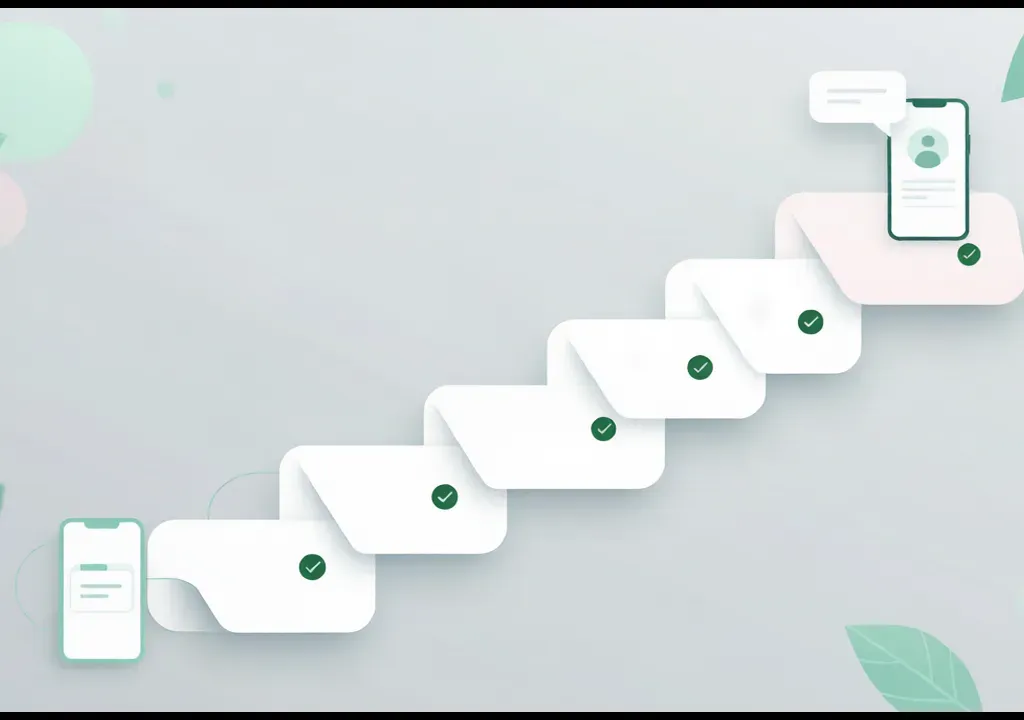
By the end of week one, the account should have a recognizable profile, real conversation history, and zero platform flags. That is a much better starting position than a brand-new account jumping straight into 200 outbound messages.
What to Skip
A few things that look like setup advice but usually create more problems than they solve:
- Buying aged accounts from third parties. If the number was registered by someone else, the history is not yours and can come with restrictions you cannot see.
- Aggressive warm-up automation on day one. Automation has its place — once the account has a foundation. Running it before any real activity exists just looks like machine behavior from minute one.
- Mass-adding contacts from imported lists. Even legitimate lists, if added too fast, create a sudden burst of unknown contacts that new accounts cannot absorb.
The cleanest setups in 2026 are the boring ones: real profile, real early conversations, modest outbound, and a tool stack that grows as the account count grows.
Conclusion
A new WhatsApp number is the start of a business communication channel, not the end of setup. The first week decides what kind of account this will be — one that blends into normal platform activity, or one that looks like a fresh registration about to be misused.
The work is straightforward: a complete profile, a few days of natural activity, no early spikes in outbound behavior, and a clear plan for who will message whom. For teams running multiple numbers, putting a proper multi-account workspace in place from the beginning saves a lot of cleanup later.
Try WAWarmer to manage multiple legitimate WhatsApp business accounts from one organized desktop console.
Related:
WhatsApp Mass Marketing 2026: Build a Bulletproof Risk System
WhatsApp Mass Marketing 2026: Build bulletproof systems with pre-send checkers, fingerprint browsers, clean IPs, and warm-up tools. Avoid bulk bans safely.
What Is WhatsApp Farming? Account Farming, Warming and Risks Explained
What does WhatsApp farming actually mean in 2026? Learn the difference between farming, warming, and spam, and how legitimate multi-account businesses operate.